UX Engineering Work
My engineering background allows me to bridge the gap between design and implementation — translating user needs into scalable, accessible, and maintainable experiences. Throughout my time at Microsoft, I’ve collaborated with designers, PMs, and engineers to ship user-facing features, build reusable UI systems, and improve product quality through thoughtful engineering.
AI-Powered Productivity Experiences
My most recent work at Microsoft was on Sales Copilot, where I helped build AI-powered experiences integrated into Outlook and Teams. These features surfaced CRM-connected insights to help sales professionals stay informed, reduce manual work, and stay productive throughout their day.
Below are a few highlights from the features and experiences I've helped ship at Microsoft.
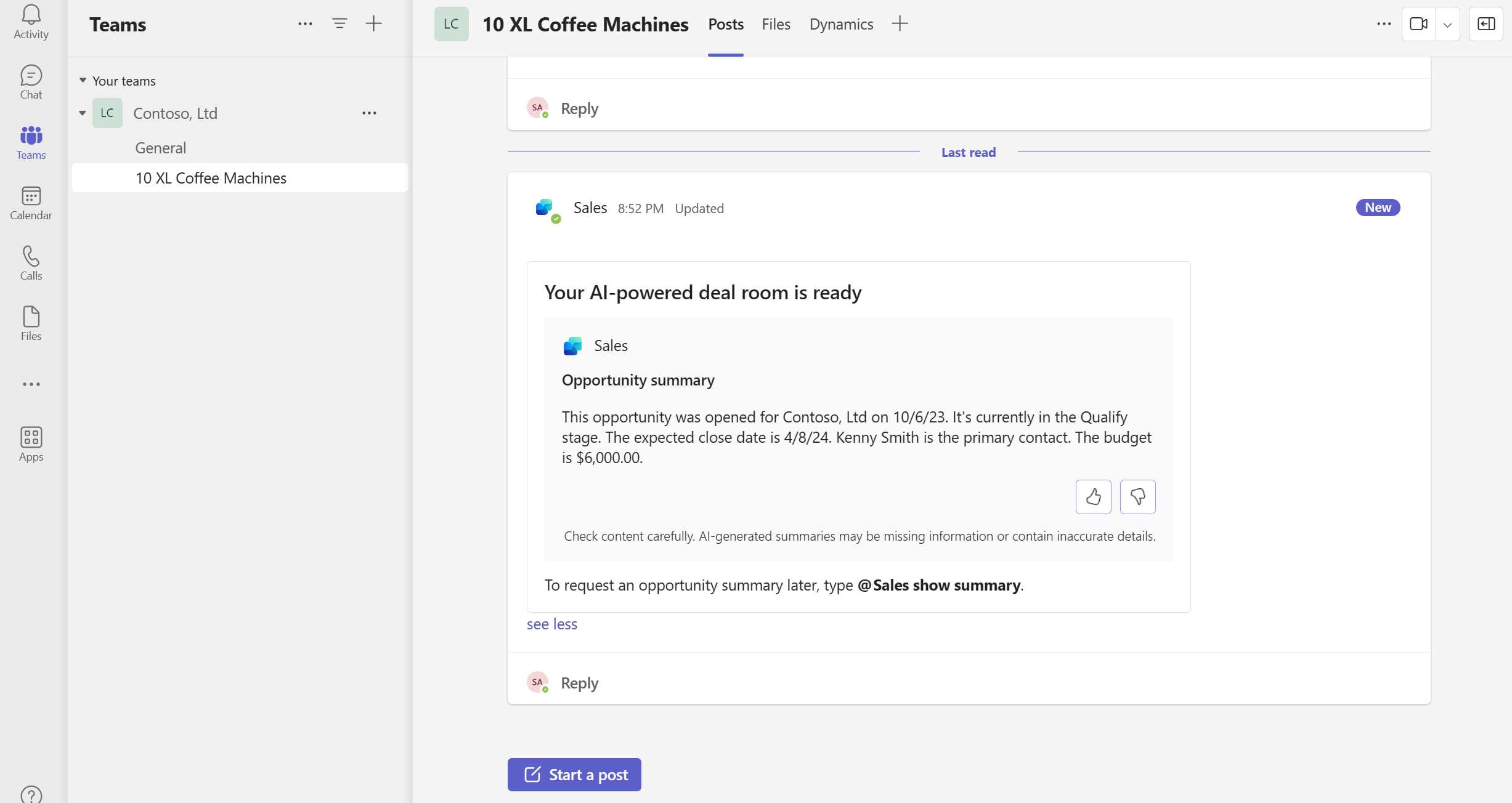
AI powered opportunity summaries in Teams. Image source: https://learn.microsoft.com/en-us/microsoft-sales-copilot/collaborate-teams-newly-created-existing-team#view-an-ai-generated-opportunity-summary-in-the-deal-room-channel
Access Settings for Sales Agents
As Microsoft expanded its AI offerings, I helped lead the implementation of a shared settings experience that allowed administrators to control access to different AI agents and configure feature-specific options. I collaborated across multiple AI agent teams (meeting insights, email insights, sales chat etc.) to gather requirements.
I created reusable components that established a consistent user experience, while making it easy for teams to add new settings as the platform evolved.
During the design process, I identified an opportunity to improve both performance and usability. Rather than loading data each time users opened an individual settings panel, I proposed loading all configuration data upfront. This eliminated unnecessary loading delays as users navigated between settings, creating a smoother, more responsive experience while simplifying the implementation.
Read more: https://learn.microsoft.com/en-us/microsoft-sales-copilot/access-settings
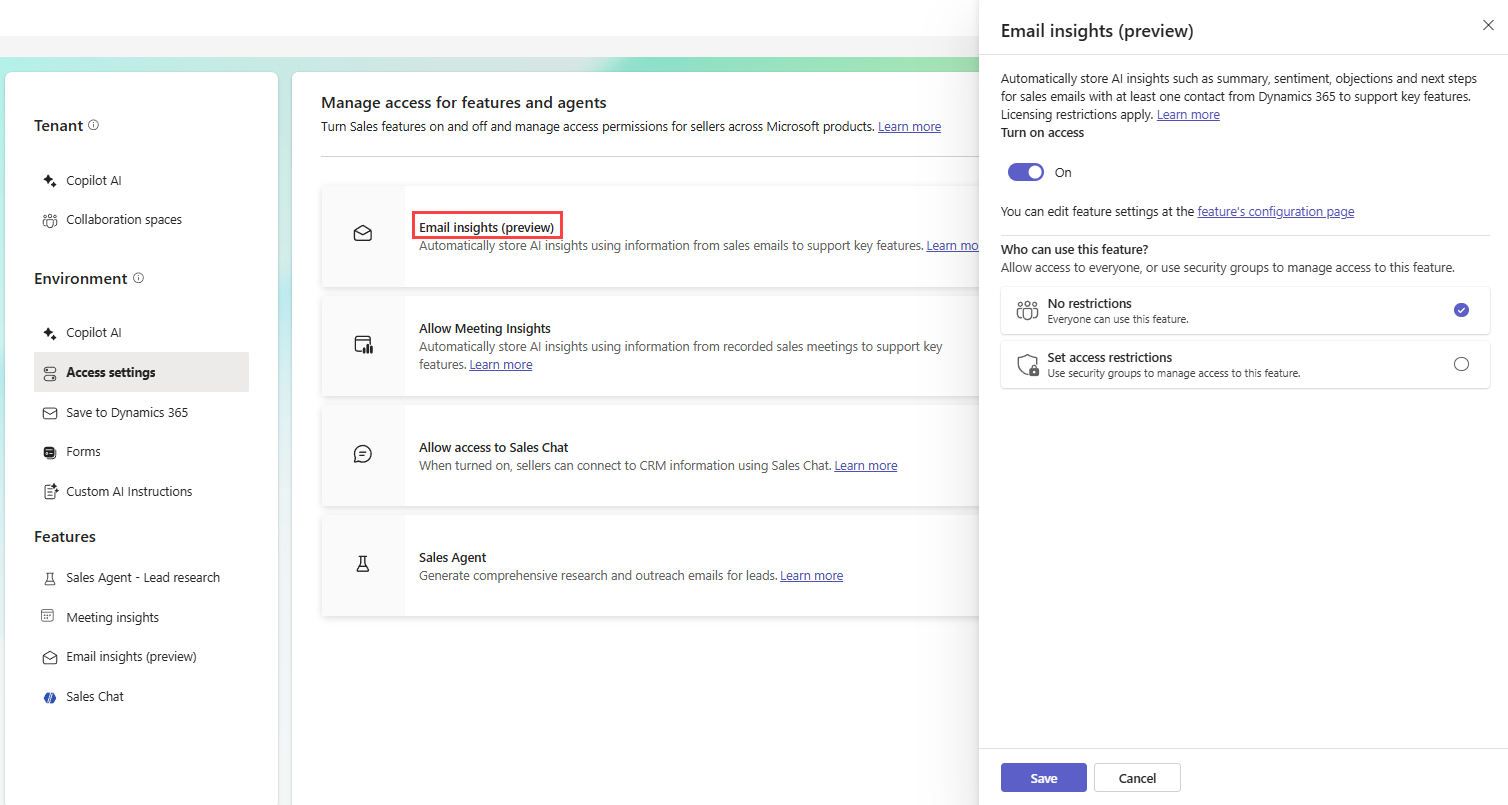
Environment access settings for Sales Agents. Image source: https://learn.microsoft.com/en-us/microsoft-sales-copilot/access-settings
Recent customer communications
I led the front-end development of the Recent Communications experience for Sales Copilot, one of the most prominent cards in the Sales Copilot Outlook add-in. This card surfaced the most recent communications and insights in the flow of work, which allowed sellers to catch up on the latest context and move deals forward.
Working closely with designers, I translated early concepts into a polished, production-ready experience within a tight timeline.
Following an executive design review, the team was asked to reduce the card's visual footprint to better balance the overall layout. I partnered with the designers to quickly iterate on the experience. I helped refine the design while minimizing implementation effort and preserving the core user experience. This collaborative approach allowed us to respond rapidly to feedback and deliver an improved solution without delaying the release.
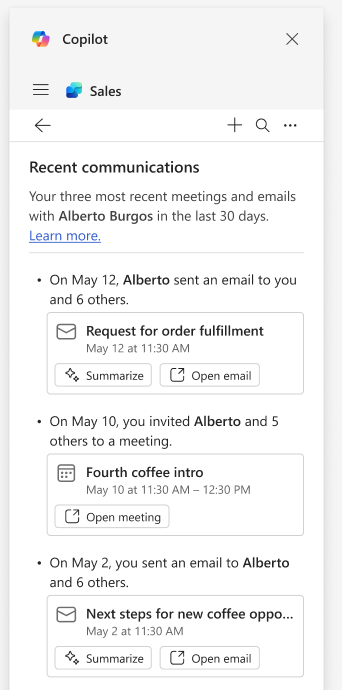
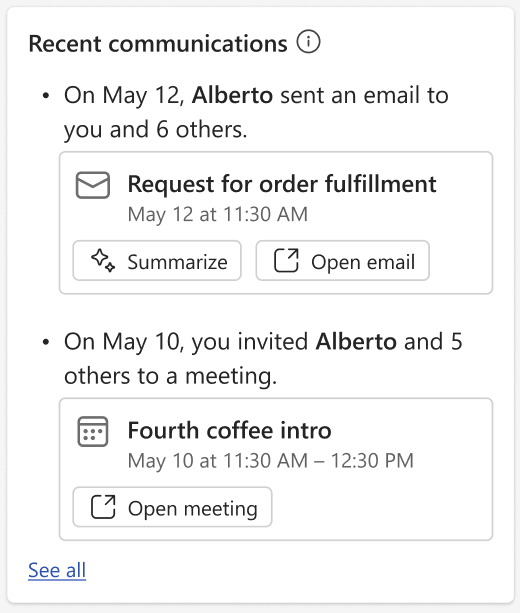
Recent communications card in Outlook, showing the most recent emails and meetings with the user’s external contact. Image source: https://techcommunity.microsoft.com/blog/vivasales-blog/whats-new-in-copilot-for-sales---june-2024/4173680
Shared Storybook for Dynamics 365
To improve component discoverability across Dynamics 365, I developed an exploratory shared Storybook that brought together reusable UI components from multiple product teams into a single, searchable experience. The goal was to make it easier for front-end developers at Microsoft to discover existing components, encourage reuse, and promote greater consistency across products.
To support this, I built an automated publishing workflow using Azure DevOps that collected individual team Storybooks and deployed them to a centralized Azure-hosted site. By reducing the effort required for teams to contribute, the solution made it easier to keep shared component documentation up to date while providing developers with a single source of reference.
Impact: instead of each team maintaining isolated component documentation, developers could discover reusable UI patterns from across Dynamics 365 in one place—encouraging consistency, reducing duplicated work, and improving the developer experience.
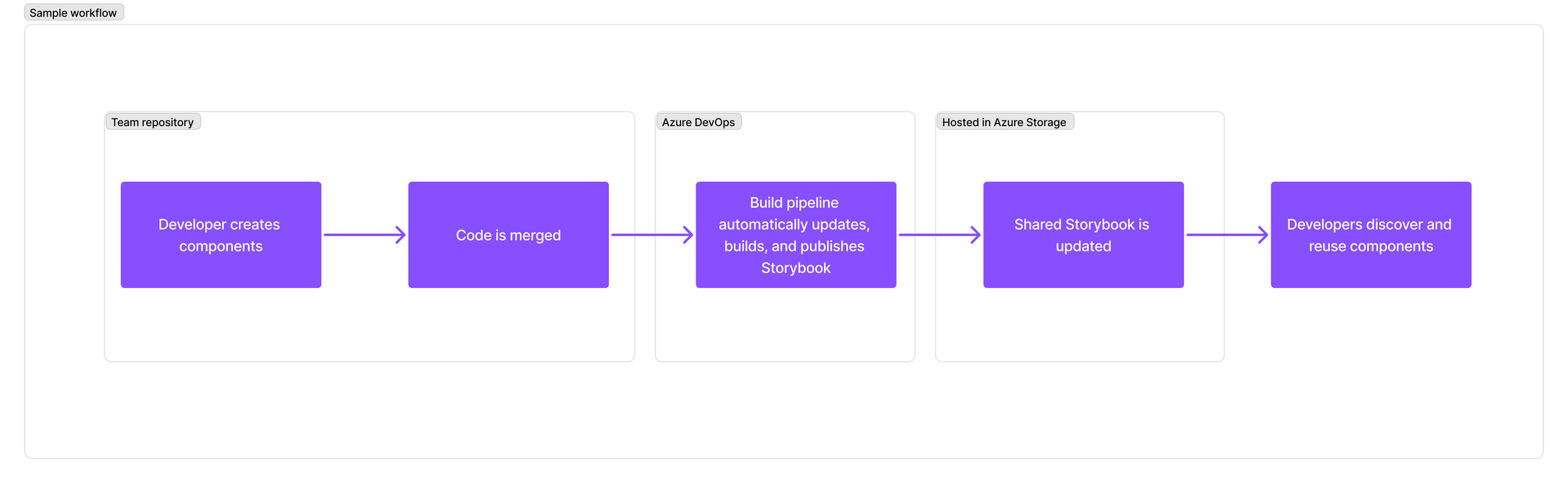
Diagram of the shared storybook concept. Internal Microsoft assets omitted.
Accessibility & Inclusive Experiences
Building accessible experiences is an essential part of my development process. Throughout my work on Sales Copilot, I partnered with designers to ensure new features were accessible before release, creating experiences that worked seamlessly for keyboard and assistive technology users.
Using Accessibility Insights for Web, Narrator, and iOS accessibility tools, I evaluated user flows and resolved accessibility issues related to:
keyboard navigation
screen reader support
ARIA attributes
color contrast
visible focus indicators
I regularly validated experiences using both keyboard-only navigation and screen readers in scan and non-scan modes to ensure users could confidently navigate AI-powered features.