Pinterest Lists: Designing for Actionable Planning
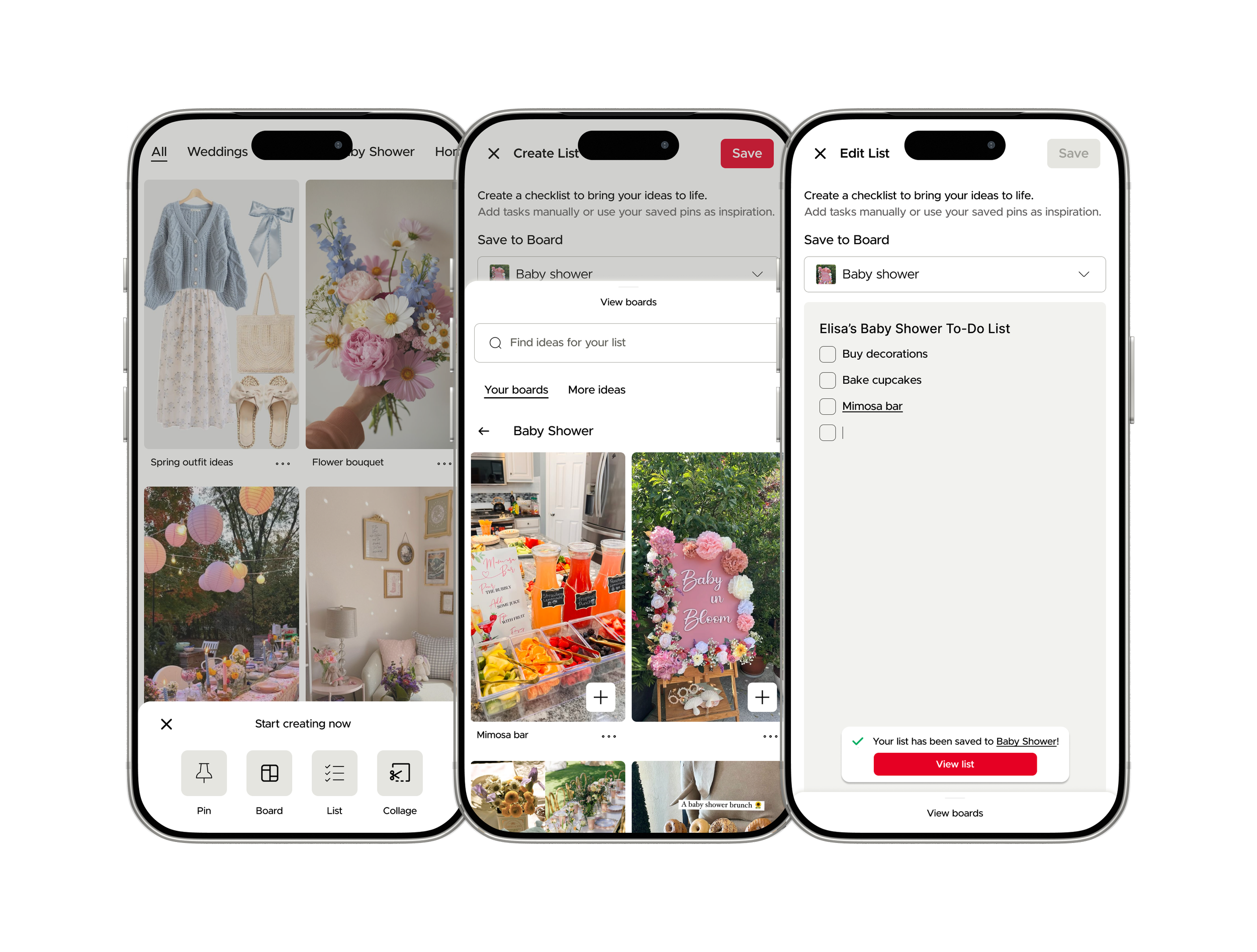
Designing a Pinterest lists feature to help users turn saved inspiration into actionable plans, making it easier to organize ideas and follow through.
I used heuristic evaluation, user flow analysis, and UX design principles to identify gaps in the current experience and create a high-fidelity prototype that’s intuitive, goal-oriented, and scalable.
Timeline
Project Overview
Duration: 2 months
Tools: Figma
This project explores how Pinterest can better support users beyond inspiration by helping them take action on the ideas they save.
While the platform excels at content discovery and curation, it lacks integrated tools for planning, organizing, and executing those ideas.
To address this gap, I designed and introduced a new in-platform to-do list feature that extends the existing user experience, enabling users to seamlessly transform inspiration into actionable plans without leaving Pinterest.
My Role
Research
Online research exploration of existing Pinterest features and competitors
Conducted user interviews
Insight synthesis
Strategy
User personas
Journey mapping
Design
Created low and high fidelity prototypes in Figma
User Research
At the start of this project, the problem space was intentionally open-ended. Rather than beginning with a predefined issue, I conducted exploratory research to better understand how users interact with Pinterest and to identify gaps in the current experience. This approach allowed me to define a more focused problem grounded in real user needs and behaviors.
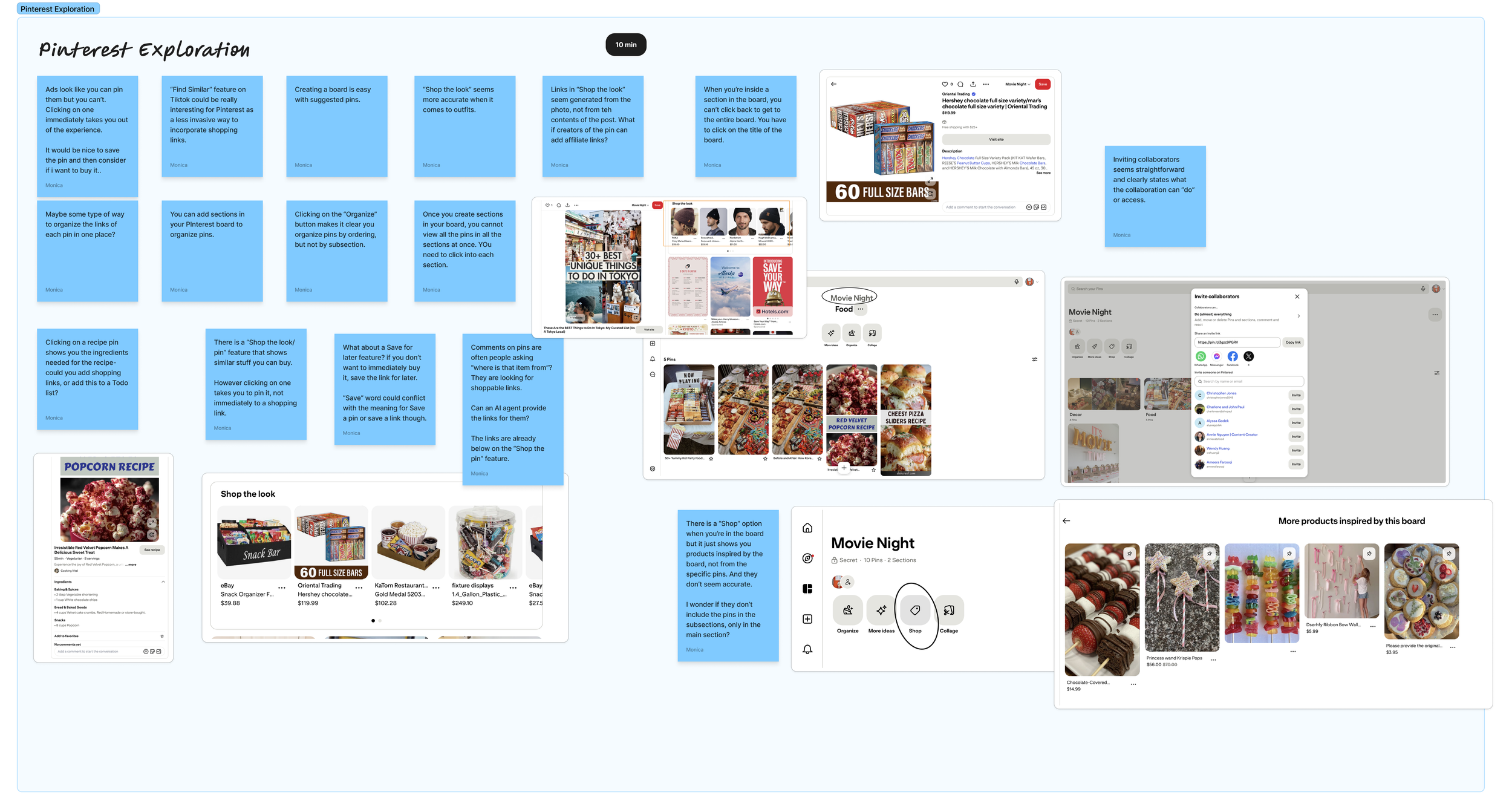
Phase 1: Exploratory Product Audit
I began by analyzing Pinterest’s existing features and user flows to understand how users save, organize, and revisit content. This helped surface early observations around the lack of support for turning saved ideas into actionable steps.
Phase 2: Competitive & Secondary Research
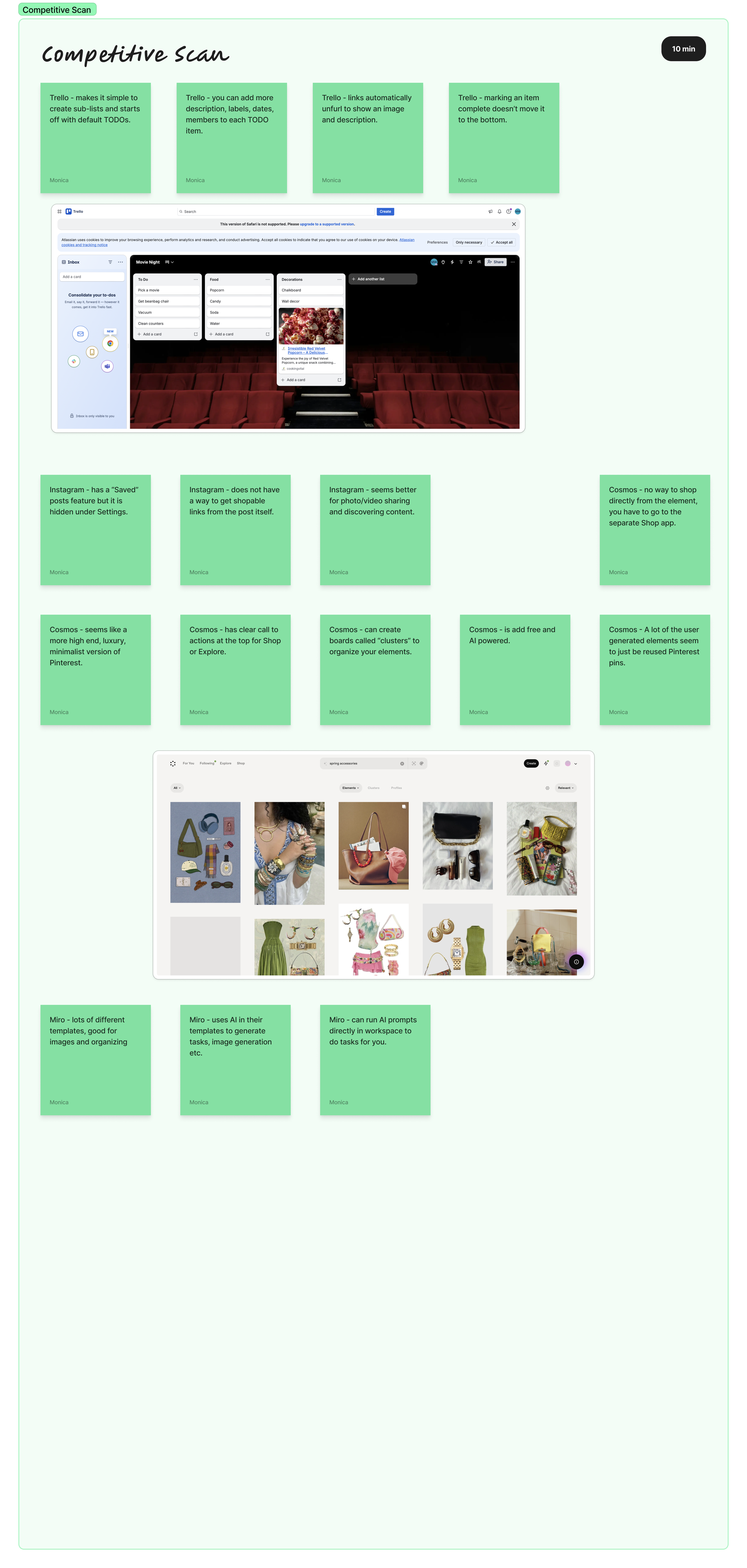
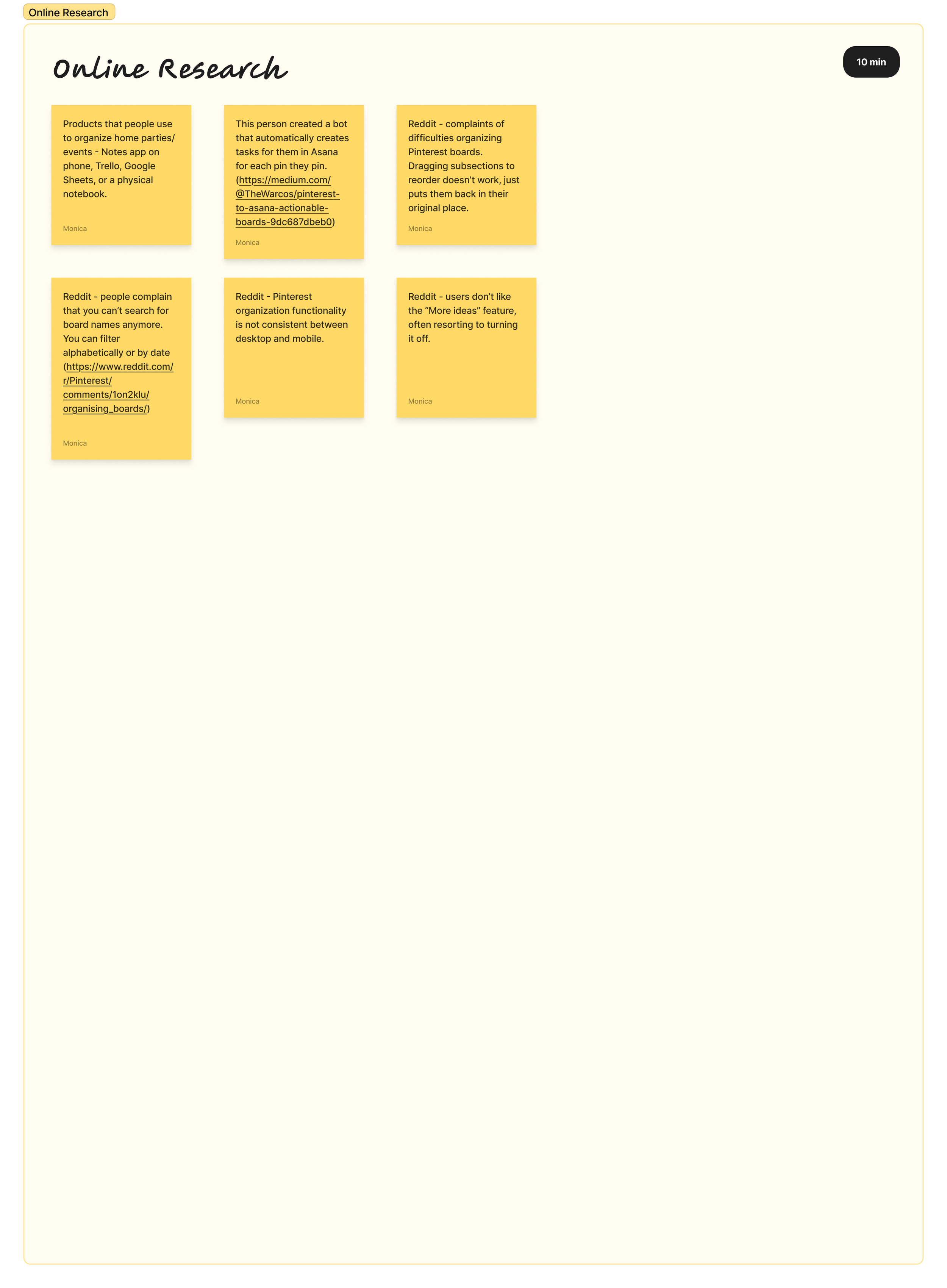
To broaden my perspective further, I then explored how similar tools like Trello, Instagram, and Miro support planning and task management. I also reviewed user discussions on platforms like Reddit. These sources revealed consistent patterns in how users rely on external tools to execute ideas discovered on Pinterest.
After these first two phases of online research on my own, I was able to differentiate a few common themes from my research.
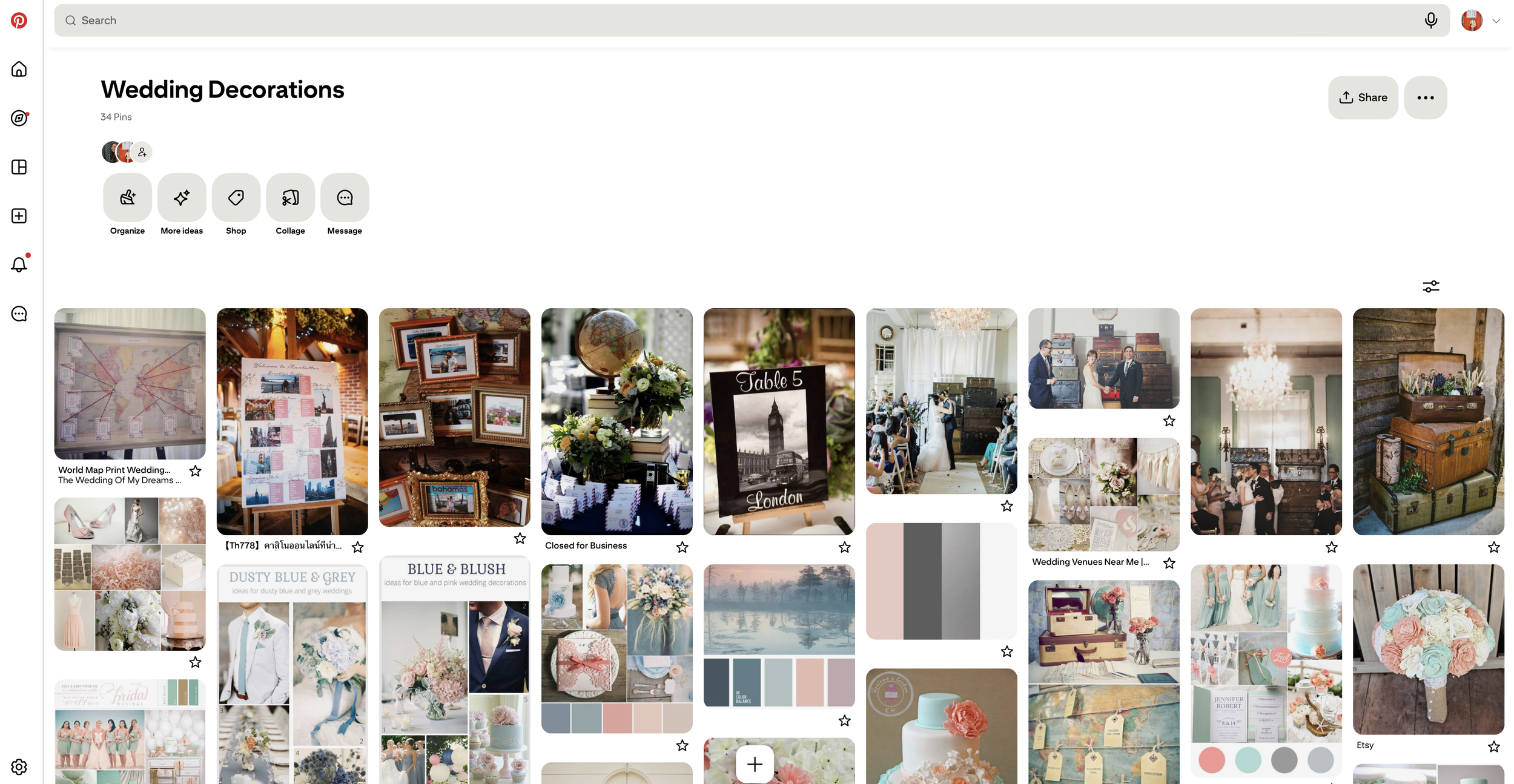
Shopping friction: Users struggle to move from inspiration to purchasing products.
Organization friction: Board sections make saved content harder to navigate.
Missing product context : Pins often lack clear information about items in the image.
Inspiration → Action gap : Pinterest supports collecting ideas but lacks tools to execute them.
Phase 3: User Interviews
Finally, I conducted 3 user interviews to validate these emerging insights and gain deeper context into user motivations, behaviors, and pain points when attempting to act on saved content. These 3 users utilize Pinterest for a variety of scenarios like their own wedding planning, design research, or event planning.
I then synthesized the interview findings into key themes that highlight the gap between inspiration and execution.
Key Insights
Pinterest is the starting point—not the full journey
Users consistently described Pinterest as a place for idea generation, but not execution. Once they find inspiration, they leave the platform to continue their workflow.
→ Opportunity: Extend Pinterest beyond inspiration to support action and follow-through.
Planning is fragmented across multiple tools
Users rely on a mix of Notes apps, spreadsheets, and other platforms to organize and act on ideas. Pinterest is just one step in a disconnected process.
→ Opportunity: Centralize planning and task management within Pinterest.
Pins inspire, but lack actionable detail
While visually engaging, pins often don’t provide enough information to act on (e.g., where to buy items, full recipes, or next steps). Users frequently switch platforms to fill in these gaps.
→ Opportunity: Enrich pins with actionable content and context.
Turning inspiration into action requires manual effort
All users described creating their own systems—writing lists, tracking steps, and evaluating ideas manually.
→ Opportunity: Reduce cognitive load by supporting task creation, planning, and organization.
Problem Statement
Through the exploratory research and user interviews, I uncovered a recurring pattern: users turn to Pinterest as a starting point for inspiration, but must leave the platform to take action.
Despite its strength in content discovery, Pinterest does not adequately support the transition from saving ideas to executing them, leading to fragmented workflows across multiple tools.
How might we help Pinterest users seamlessly turn inspiration into actionable plans without leaving the platform?
Concept Development & Ideation
After defining the problem, I further explored how it manifests in the user journey by developing a persona and mapping out the end-to-end experience. This helped highlight key moments where users drop off from Pinterest and switch to external tools to plan and organize their ideas.
User Persona

Alexandra Smith
32 years old • Accountant • Experienced with planning dinner parties
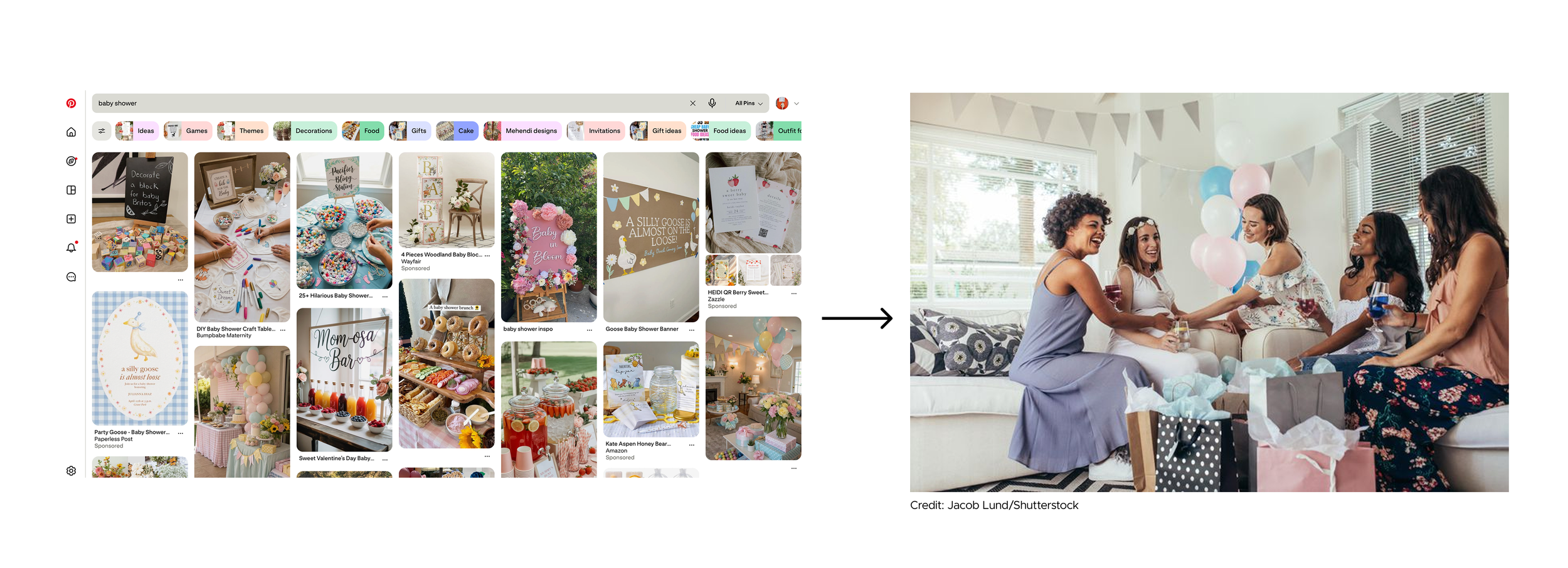
Alexandra is planning a small baby shower for a close friend. She starts by browsing Pinterest for theme ideas, decorations, and food presentation. As she gathers inspiration, she begins struggling to keep track of what she actually needs to buy and prepare, switching between Pinterest, Notes, and other apps.
Goals:
Stay organized throughout the planning process
Bring a cohesive vision to life (event, project, or gathering)
Keep track of ideas, tasks, and items in one place
Reduce last-minute stress before execution
Pain points:
Information is scattered - Inspiration, tasks, and shopping lists are spread across multiple tools
Turning inspiration into action is manual - Needs to translate saved pins into actionable tasks and lists
Lack of product or detail transparency - Pins often don’t clearly show where to buy items or how to recreate something
Frequent app switching - moves between Pinterest, Notes, Instagram, and other tools
Planning becomes overwhelming over time - As ideas grow, it becomes harder to track what actually needs to be done
Journey Map
To better understand how users move from inspiration to execution, I created a user journey map to visualize the end-to-end experience across different stages of planning and organization. Mapping the journey helped identify key drop-off points where users leave Pinterest to rely on external tools for tasks like creating lists, tracking ideas, and organizing projects.
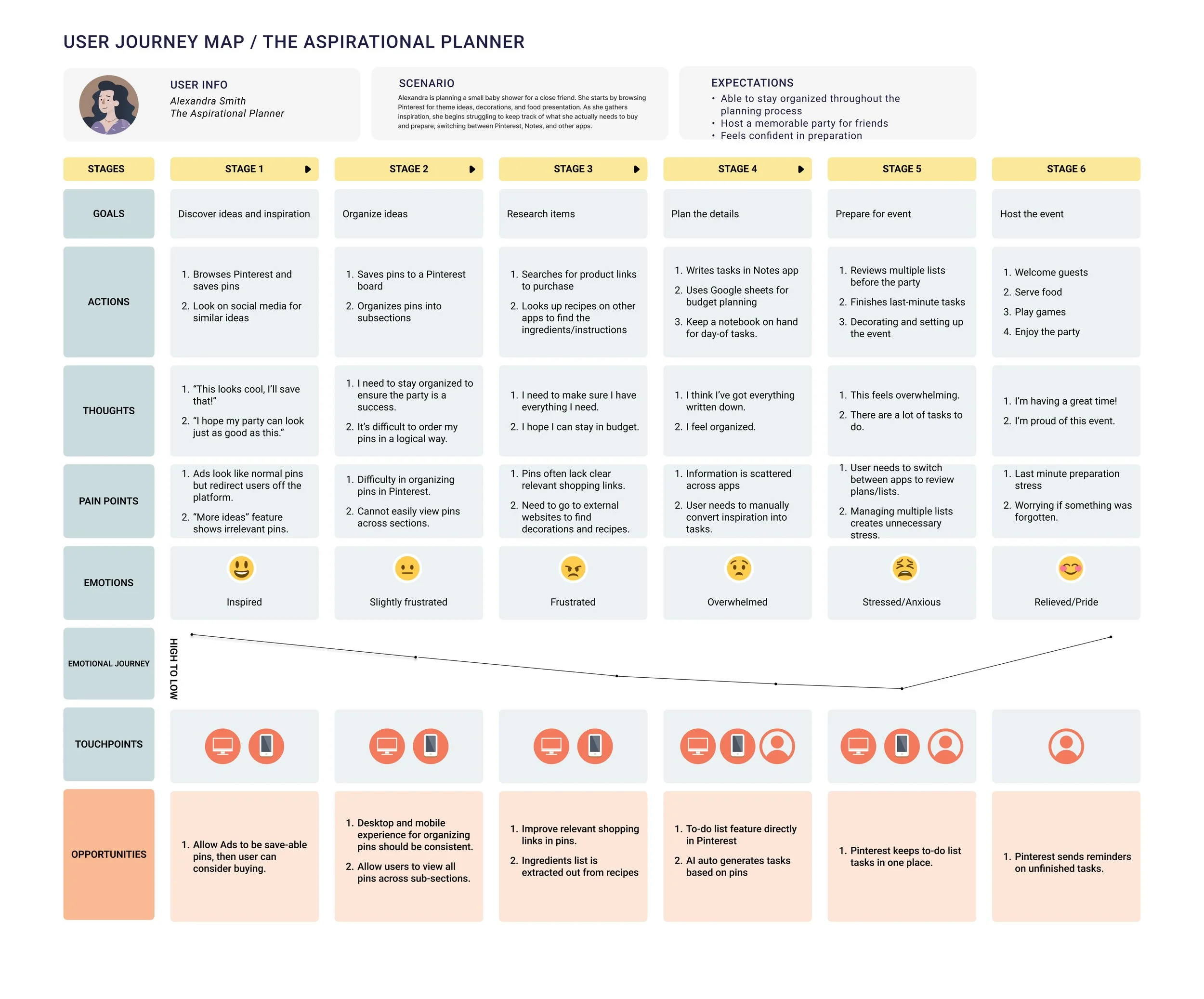
These gaps revealed an opportunity to better support users beyond inspiration—specifically in helping them capture, organize, and act on ideas without leaving the platform. This led to the concept of integrating lightweight planning tools directly into Pinterest, ultimately shaping the direction of a to-do list feature.
Why To-Do Lists?
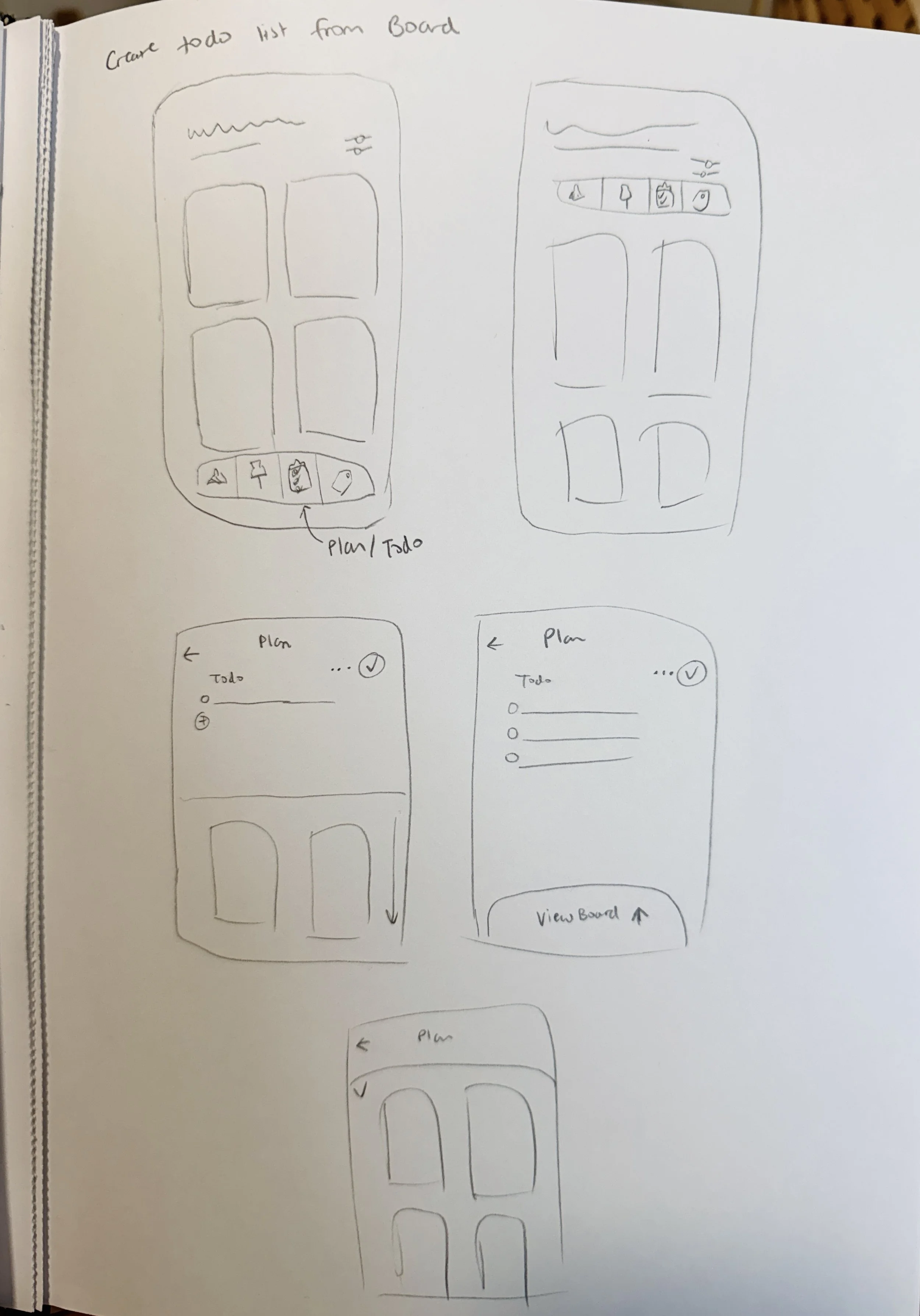
Through sketching and evaluating a few different concepts, I focused on solutions that could directly reduce the manual effort users described—such as creating lists, tracking tasks, and organizing next steps outside the platform.
To-do lists emerged as the strongest direction because they:
Directly address core user behaviors
Users were already creating lists in external tools to plan projects, shopping, and tasks.Reduce cognitive load
Instead of manually translating inspiration into action, users can quickly turn saved pins into structured tasks.Fit naturally into the existing experience
Lists can integrate seamlessly with boards and saved content without requiring a completely new workflow.Support a wide range of use cases
From recipes and shopping to event planning and home projects.
Low Fidelity Prototype
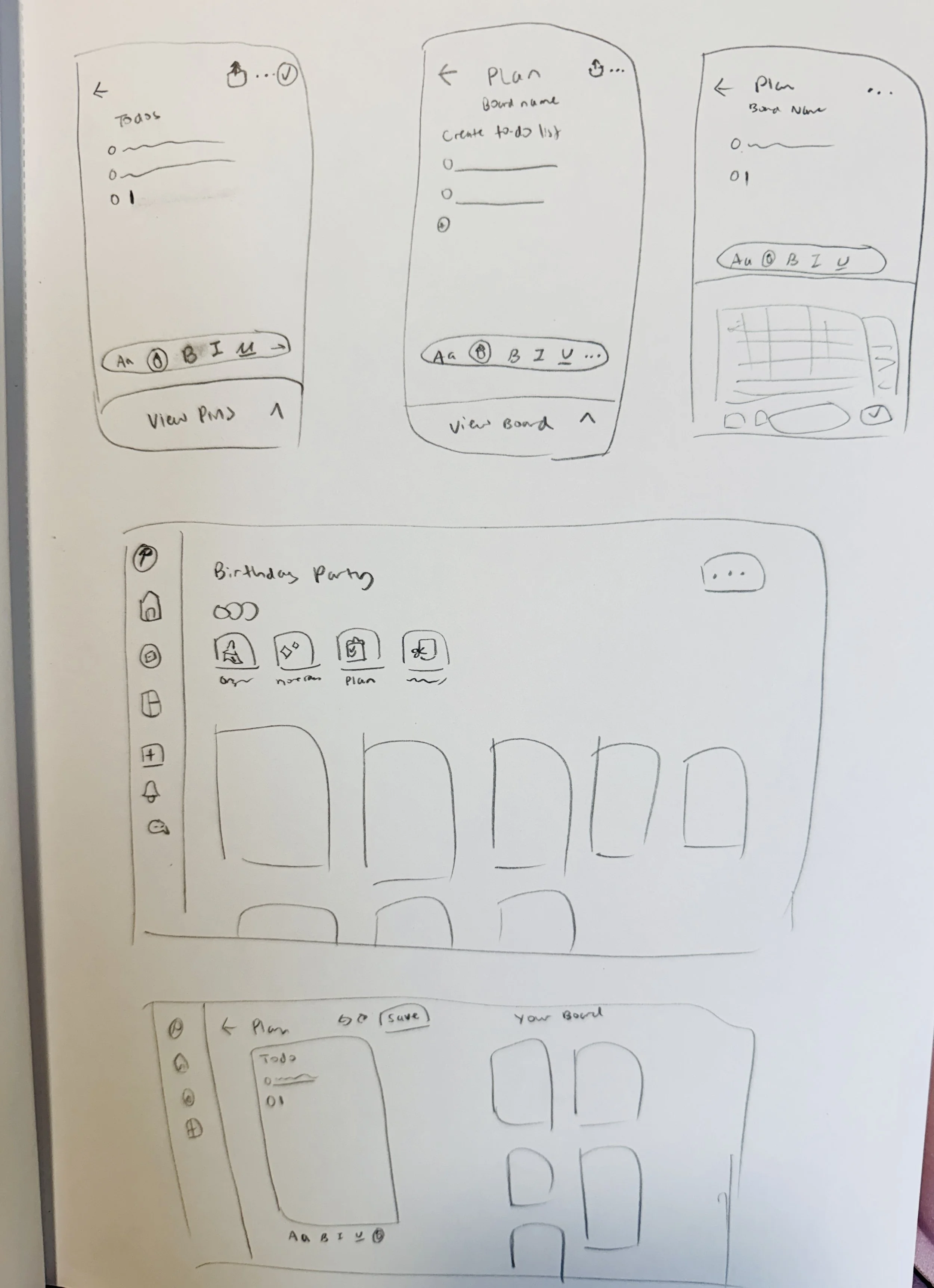
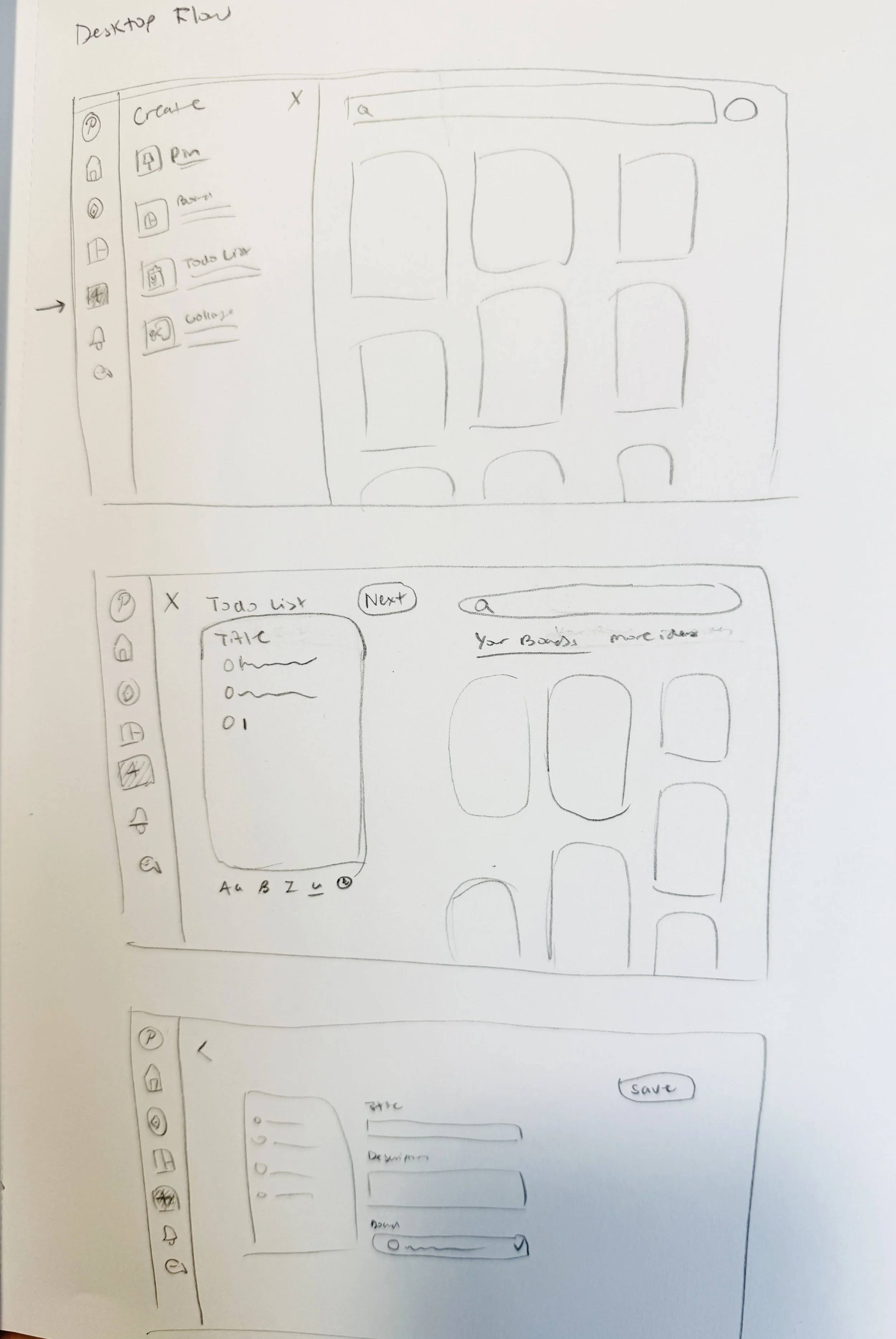
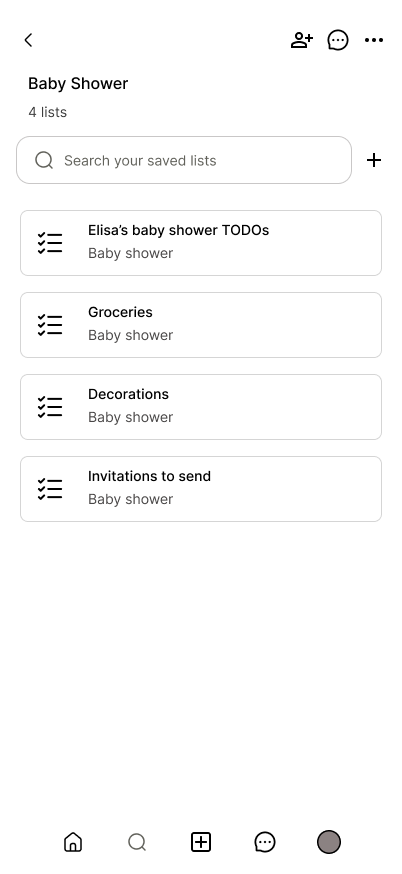
Building on the concept of integrating to-do lists into Pinterest, I created low-fidelity mobile and desktop screens to explore and test the end-to-end user flow. The goal at this stage was to quickly validate how users might move from saving inspiration to organizing and acting on it within a unified experience.
I focused on layout, structure, and interaction patterns rather than visual detail, iterating across key screens to ensure the flow felt intuitive across both platforms.
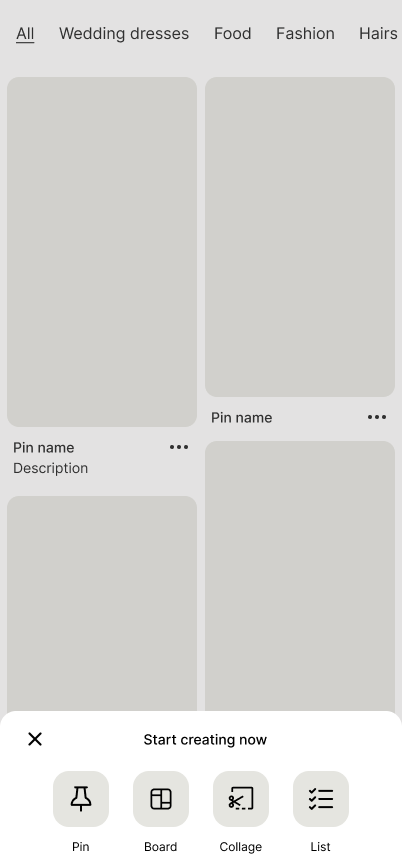
Homepage - Create menu includes option to create a new list.
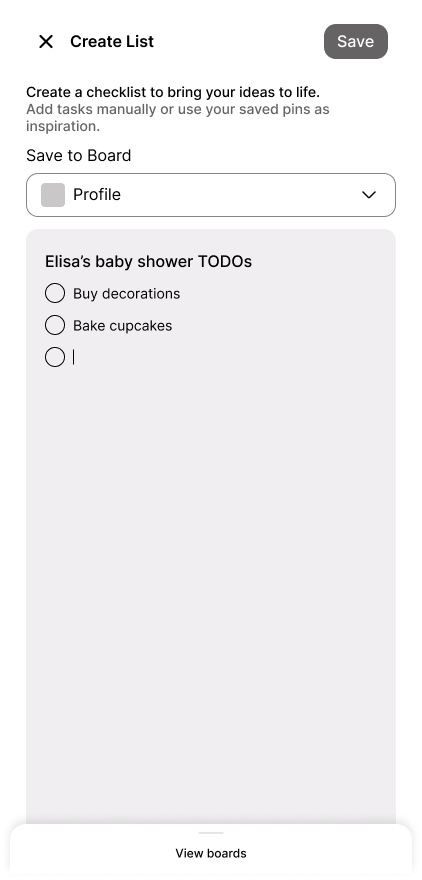
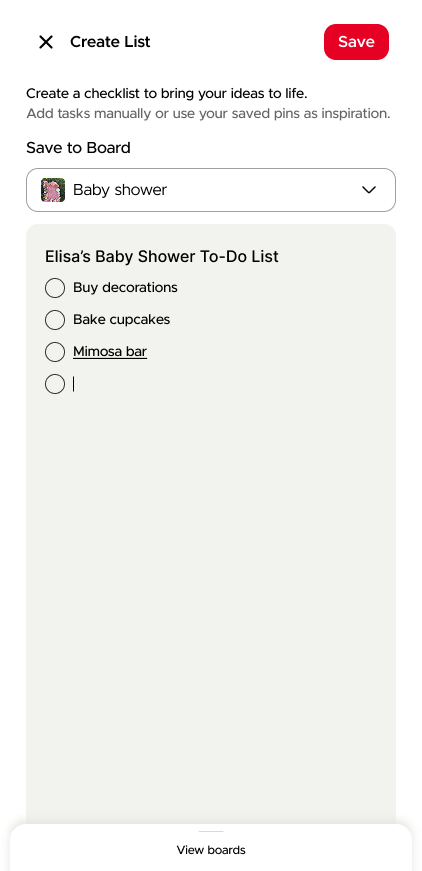
Create list - User can add items to their to-do list.
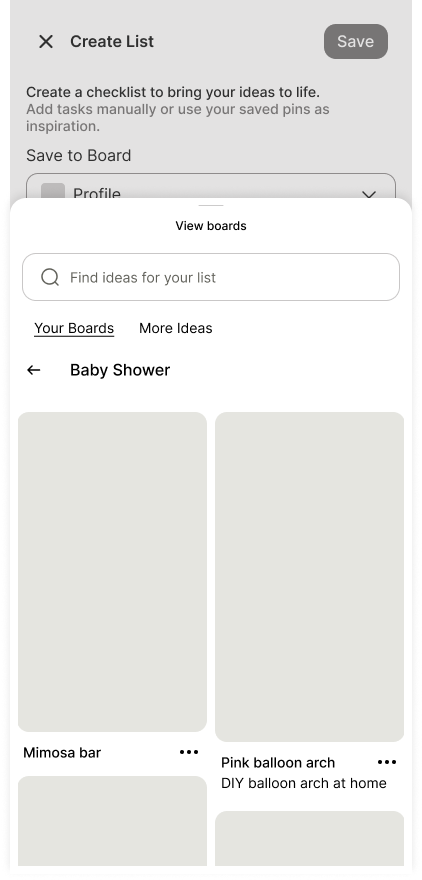
Add pins to list- User can search their Pinterest boards to add items to their list.
List view- User can view all their lists within the context of a Pinterest board.
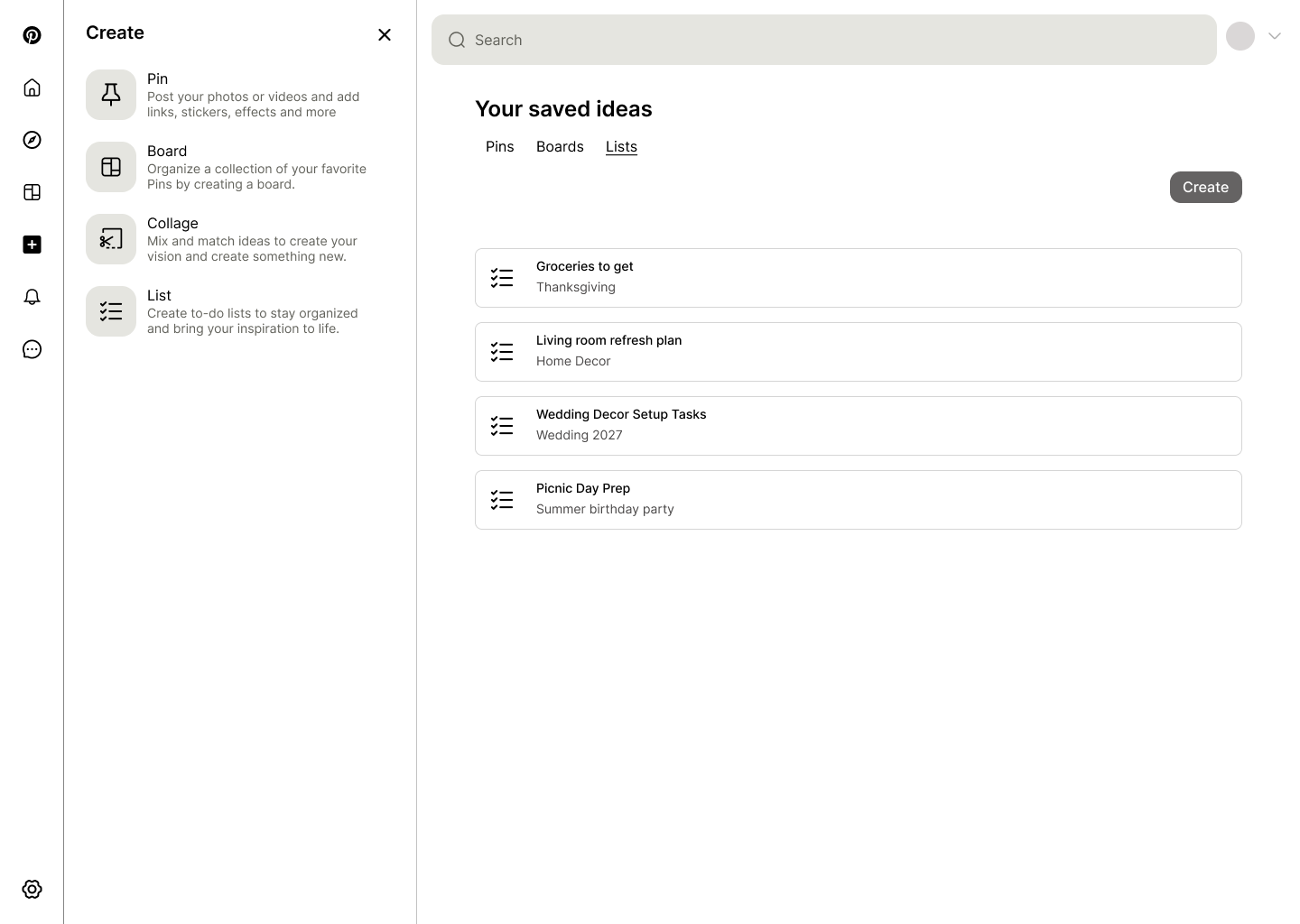
Create menu & list view - Create menu includes option to create a new list, and the list view shows all your saved lists.
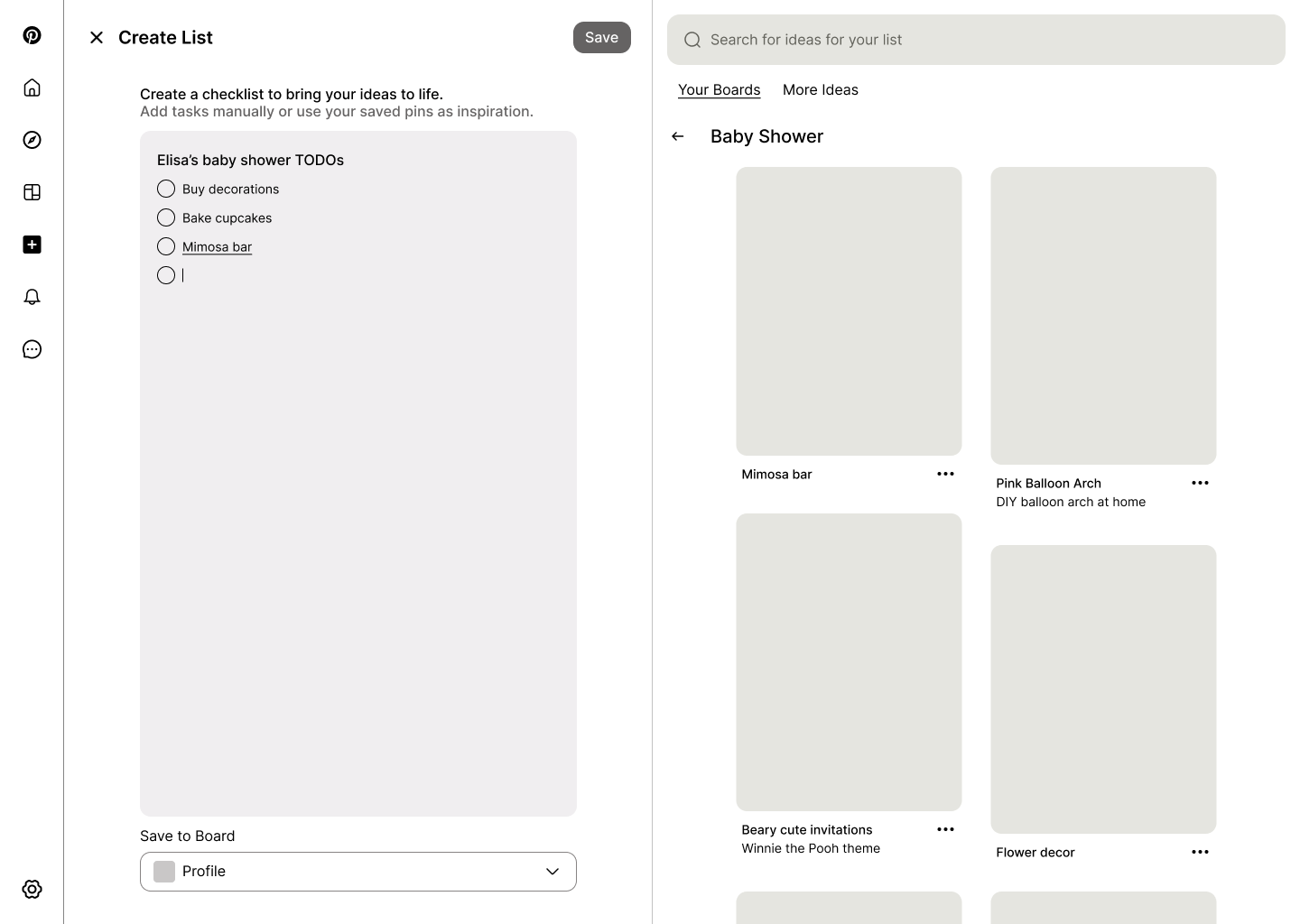
Create list & add items - Desktop view allows user to add pins to their list from their existing boards on the right.
High Fidelity Prototype
I translated the final user flow into high-fidelity mobile and desktop screens, closely following the existing design language of Pinterest.
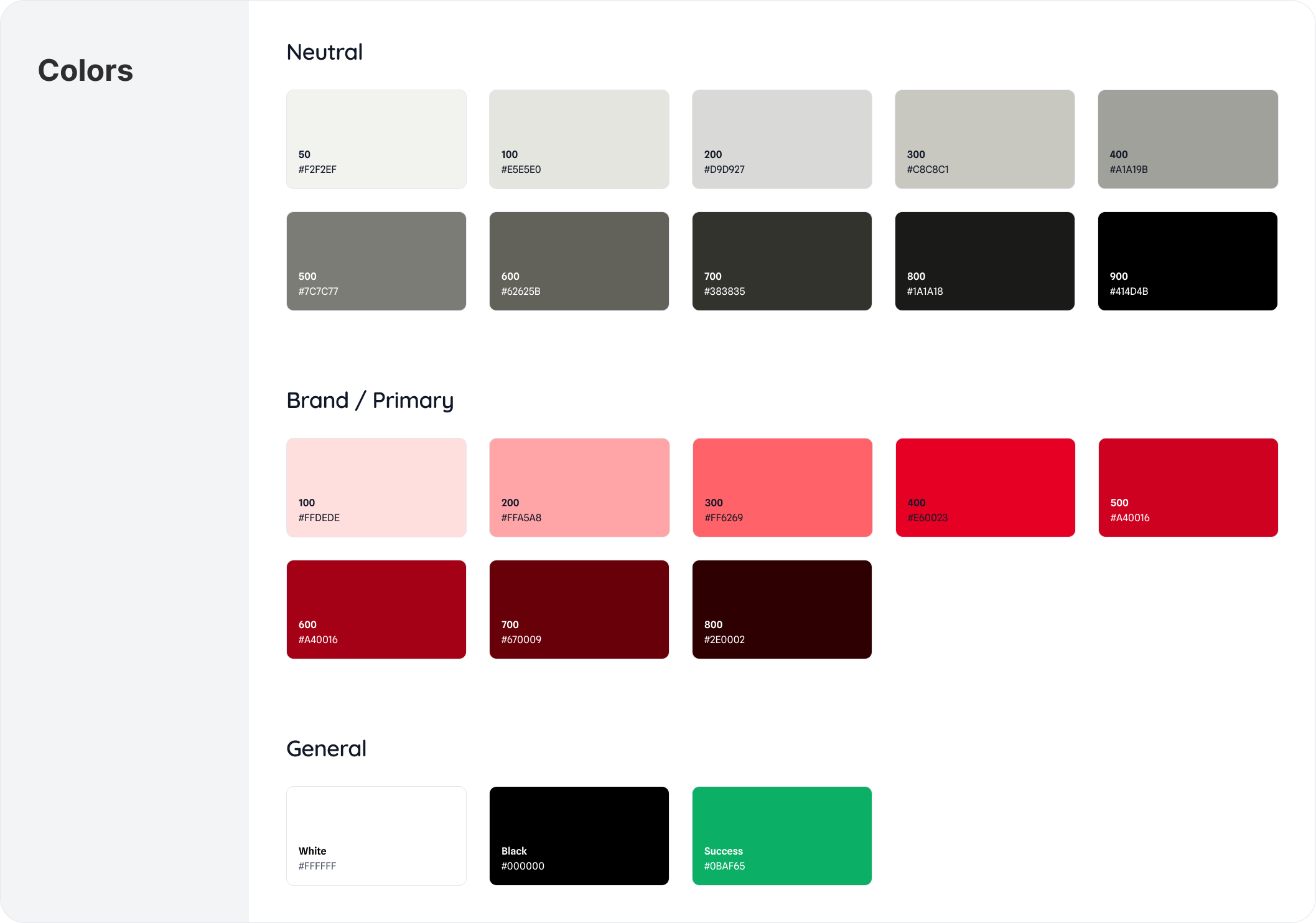
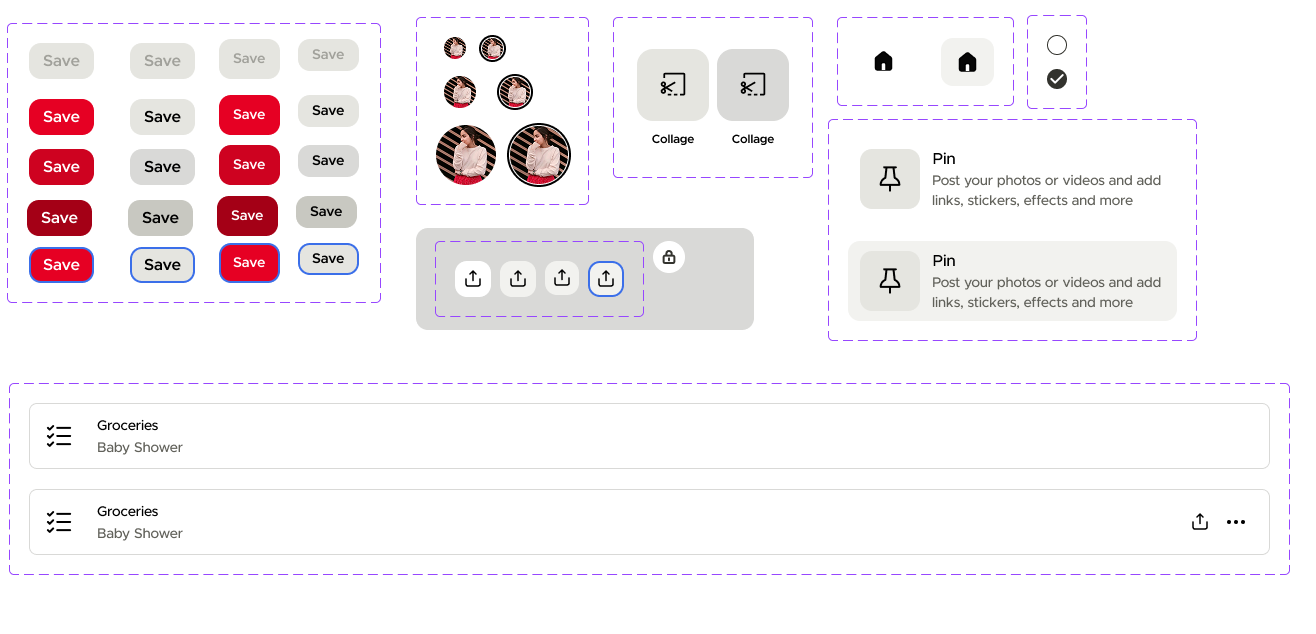
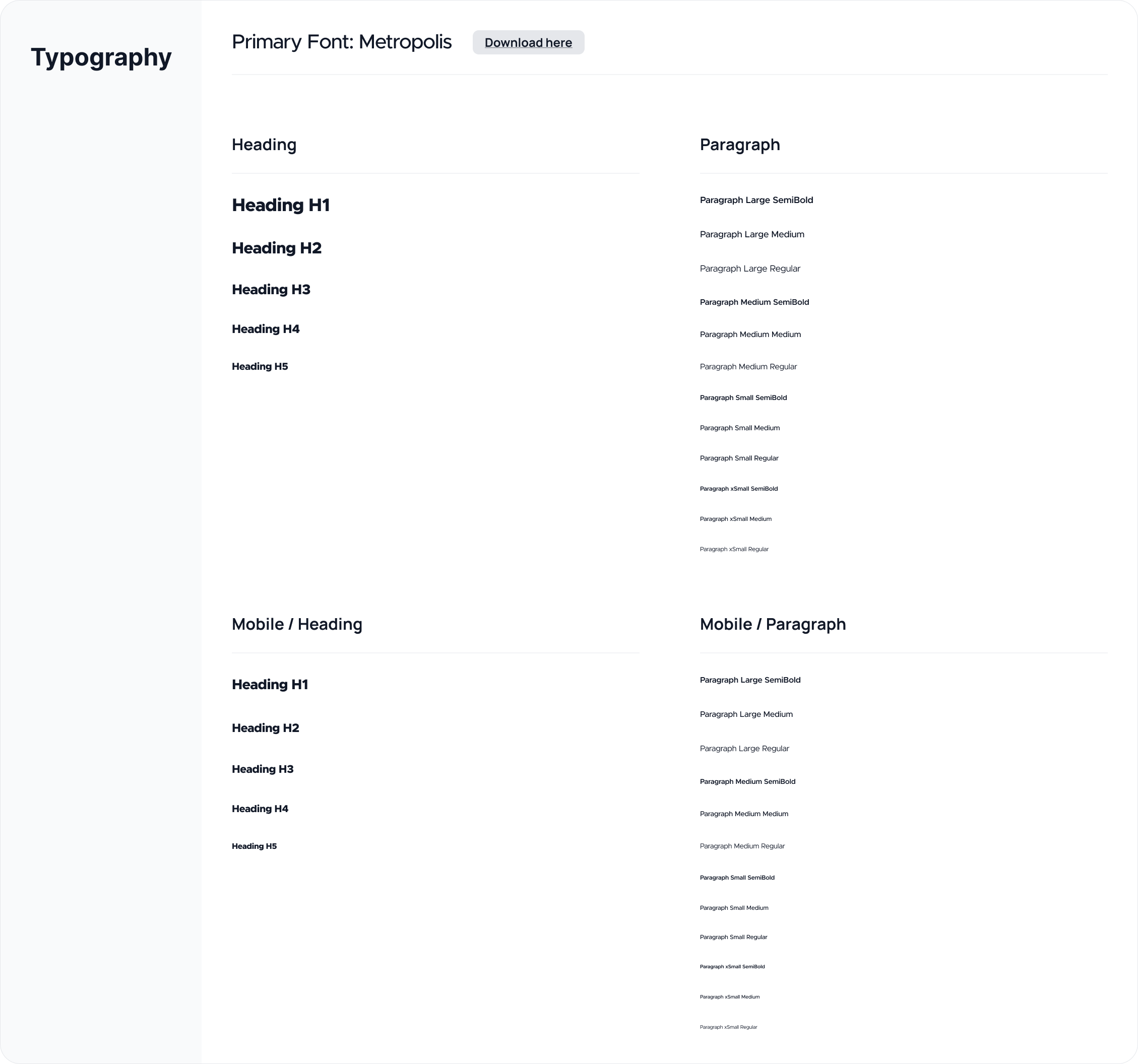
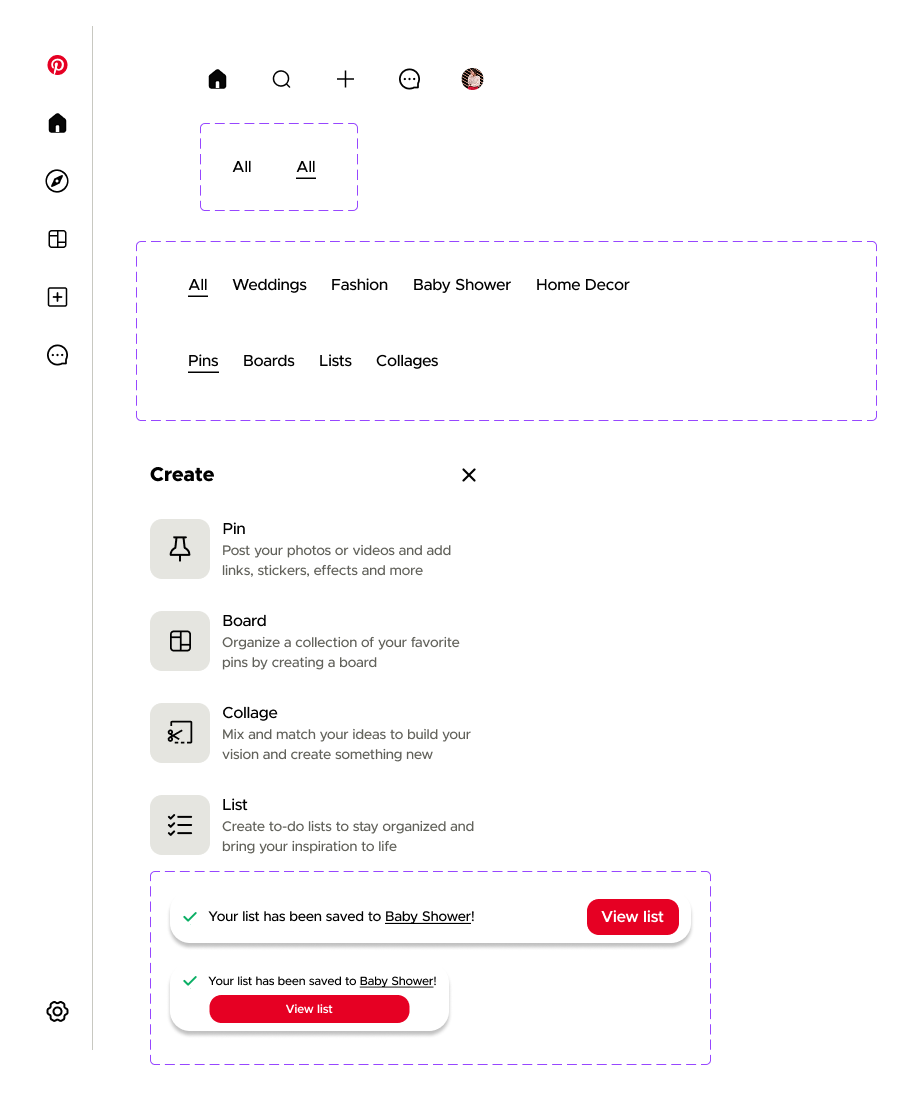
To ensure consistency, I recreated key elements of Pinterest’s design system in Figma and applied them to the new to-do list feature, focusing on maintaining familiar layouts, interactions, and visual hierarchy so the feature felt seamlessly integrated into the existing experience.
Recreating the Pinterest Design System
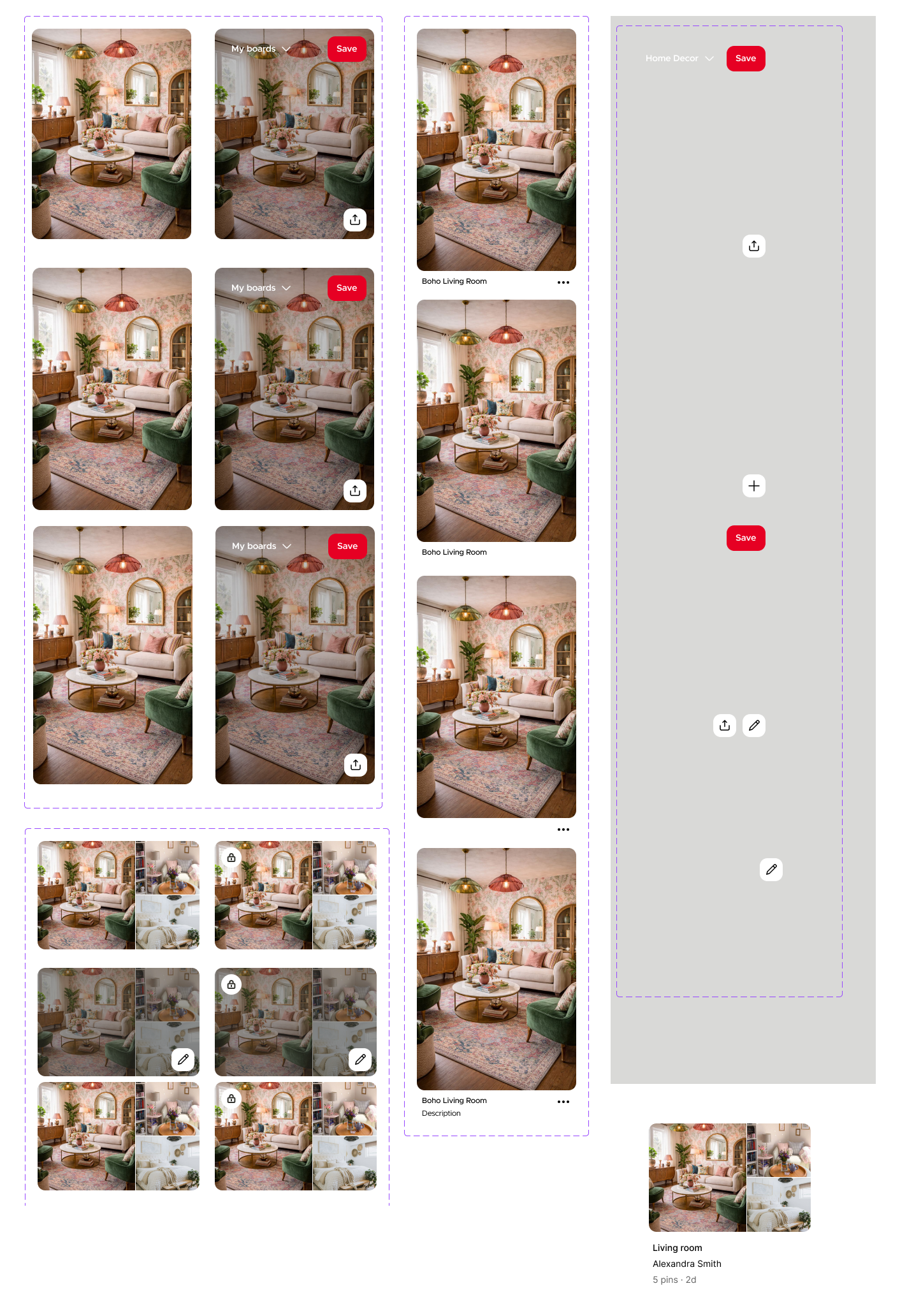
High Fidelity Screens
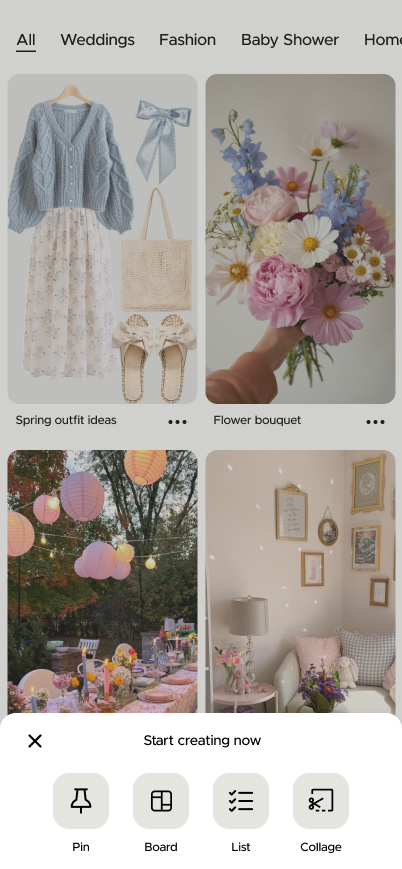
Homepage - Create menu includes option to create a new list.
Create list - User can add items to their to-do list.
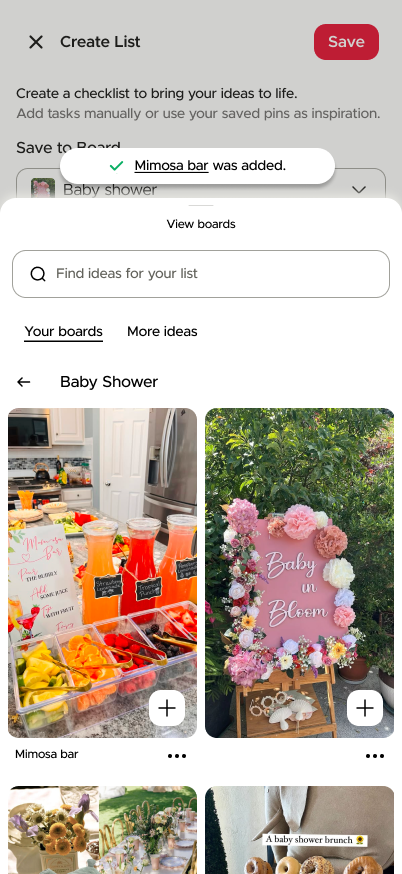
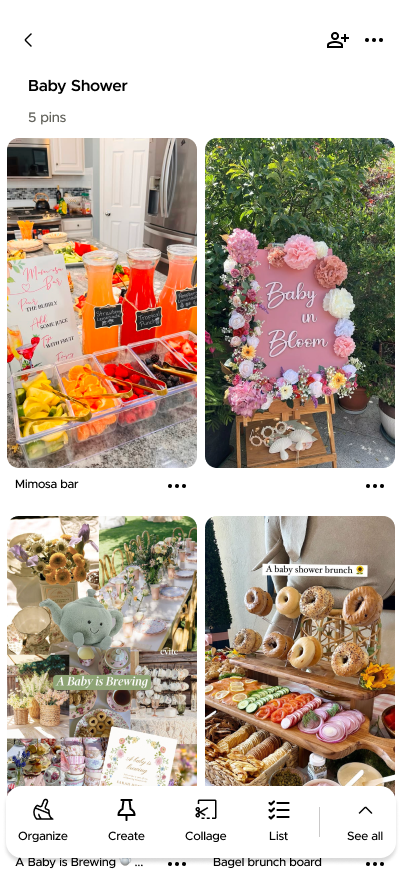
Add pins to list- User can search their Pinterest boards to add items to their list.
Pinterest board - User can create a list from the context of a board.
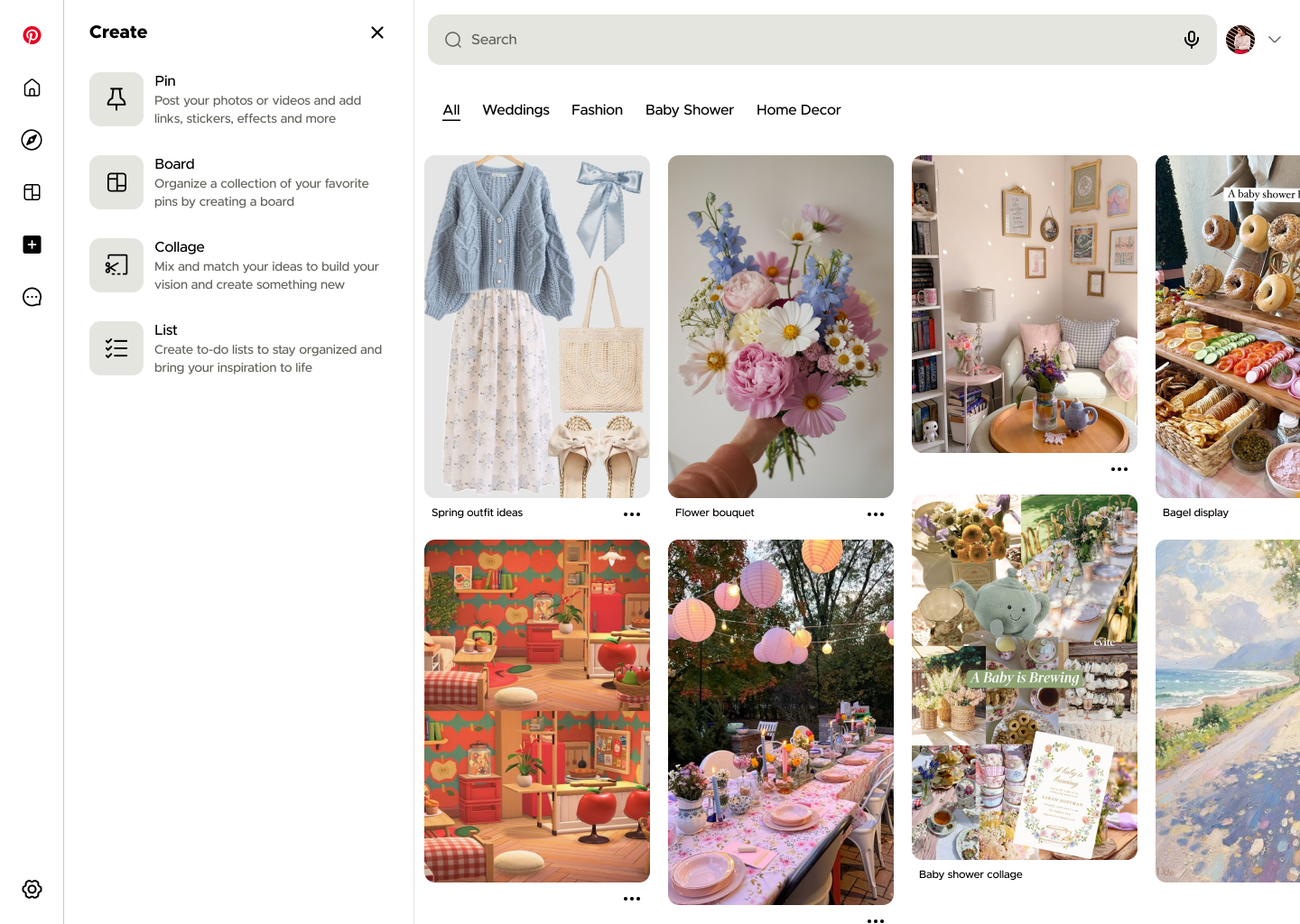
Homepage & Create Menu - Create menu includes option to create a new list.
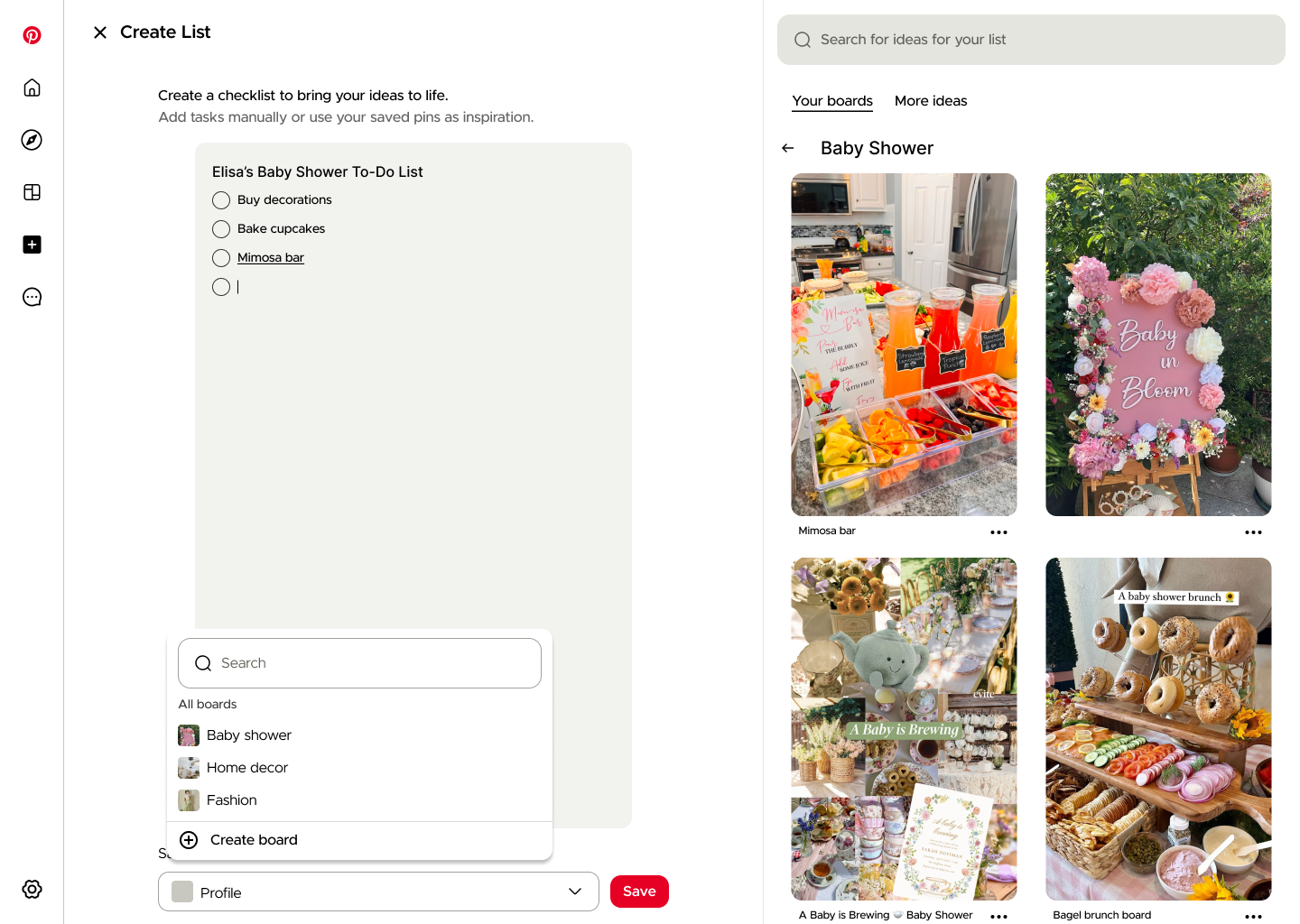
Create list & add items - Desktop view allows user to add pins to their list from their existing boards on the right.